Post
Best MacBook Neo 13 (A18 Pro) 1
May
MacBook Neo 13 (2026): The “A18 Pro” Revolution in Mobile Computing
1. Introduction: A New Entry Point for the Apple Ecosystem
For years, the MacBook Air was the entry point into Apple’s world. But in 2026, Apple has introduced something even more accessible: the MacBook Neo 13. Announced on March 4, 2026, this machine breaks all traditional rules. It is the first MacBook to use an iPhone-derived “Pro” chip, the A18 Pro, bridging the gap between the iPad Air and the MacBook Air.
At MOTOGO, we see the MacBook Neo 13 as the ultimate “Student & Starter” laptop. It delivers the premium build, the macOS experience, and the incredible battery life Apple is known for, but at a price point—starting from just 16,499,000đ—that makes it the most affordable brand-new MacBook in history. This 1500-word guide will explore why the A18 Pro is enough for 90% of users and how the “Neo” design language is reshaping our expectations.
2. The A18 Pro Chip: iPhone DNA, MacBook Ambition
The biggest talking point of the MacBook Neo 13 is undoubtedly the A18 Pro chip. This is the same silicon found in the legendary iPhone 16 Pro, optimized for the thermal envelope of a laptop.
6-Core CPU & 5-Core GPU: While it may have fewer cores than an M5 chip, the A18 Pro is a performance efficiency marvel. For browsing, office tasks, and even light photo editing in Lightroom, the single-core speed is blistering.
Hardware-Accelerated Ray Tracing: For the first time in an entry-level Mac, the A18 Pro brings hardware ray tracing. This means students at MOTOGO can enjoy high-end mobile games and basic 3D rendering with lighting effects that were previously reserved for the Pro series.
16-Core Neural Engine: Designed for Apple Intelligence, the A18 Pro’s NPU is tailor-made for local AI tasks. From Siri’s enhanced context-awareness to AI-driven image cleanup, the Neo is a fully-fledged “AI PC.”
Memory & Storage: The base model comes with 8GB of unified memory and a 256GB SSD. While power users might want more, this configuration is perfectly tuned for the macOS Sequoia (and beyond) experience.
3. Design: Durable, Lightweight, and “Vibrant”
The MacBook Neo 13 introduces a fresh aesthetic that feels younger and more dynamic than the serious MacBook Pro.
Aluminum Unibody: Despite its breakthrough price, Apple did not compromise on build quality. The Neo uses 100% recycled aluminum, providing the same rigid, premium feel you’d expect from a device costing twice as much.
The “Blush” & “Indigo” Palette: Moving away from just Space Gray and Silver, the Neo comes in stunning new colors: Blush (Hồng Phớt), Citrus (Vàng), Indigo (Xanh), and Silver. At MOTOGO, the Blush model has quickly become a favorite for those wanting a “light lotus pink” aesthetic.
Ultra-Thin Dimensions: Weighing just 1.23 kg and measuring only 1.27 cm thick, it is virtually as portable as the 13-inch MacBook Air, making it the perfect companion for a day of lectures or remote work in a café.
4. Display: Liquid Retina Without the Notch
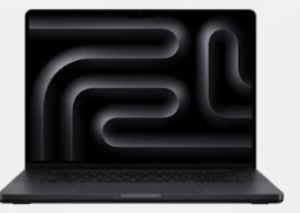
One of the most surprising features of the MacBook Neo 13 is the lack of a “notch” on its display.
13-inch IPS Panel: With a resolution of 2408 x 1506 (219 ppi), the display is sharp and vivid.
500 Nits Brightness: This is a significant upgrade over the older MacBook Air M1. It’s bright enough for outdoor use and supports over 1 billion colors (sRGB gamut).
Bezel Balance: By slightly increasing the bezel size compared to the M-series MacBooks, Apple was able to house the 1080p FaceTime HD camera above the screen without needing a notch, resulting in a clean, symmetrical look that many users at MOTOGO prefer.
5. Connectivity: Simplified But Smart
To hit its aggressive price point, Apple simplified the I/O on the MacBook Neo 13, but included modern standards.
Dual USB-C Ports: It features two USB-C ports on the left side. Interestingly, one is a USB 3 port (10Gbps) with DisplayPort support, while the other is a USB 2 port primarily for charging.
No MagSafe: Unlike the Air and Pro, the Neo charges via USB-C. At MOTOGO, we recommend using the included 20W adapter for efficiency, though it can handle higher-wattage chargers for faster top-ups.
Wi-Fi 6E & Bluetooth 6: The Neo is future-proofed with the latest wireless standards, ensuring stable connections even in crowded university libraries.
6. Battery Life: The 16-Hour Marathon
The A18 Pro is incredibly power-efficient. Even with a smaller 36.5Whr battery, the MacBook Neo 13 achieves remarkable numbers:
16 Hours of Video Streaming: Perfect for a weekend binge-watch without looking for a charger.
11 Hours of Wireless Web Browsing: Real-world usage at MOTOGO shows that students can easily get through a full day of classes and homework on a single charge.
7. Keyboard & Audio: The Classic Mac Experience
Magic Keyboard: The Neo features the same reliable scissor-switch Magic Keyboard found on the Pro models, complete with a full-height function row.
Touch ID: Integrated into the power button, providing secure logins and Apple Pay verification. Note: Touch ID is standard on the 512GB model and an optional add-on for the 256GB base.
Two-Speaker Sound System: Supporting Spatial Audio and Dolby Atmos, the speakers are loud and clear, outperforming almost any Windows laptop in this price range.
8. Comparative Analysis: Neo 13 vs. Air M5
How does the Neo stack up against its siblings at MOTOGO?
Vs. MacBook Air M1 (Legendary): The Neo 13 is the official successor to the M1 Air. It offers a brighter screen (500 vs 400 nits), a better webcam (1080p vs 720p), and faster AI processing, though the M1 Air still holds a slight edge in raw multi-core sustained power.
Vs. MacBook Air M5: The Air M5 is for “Prosumers.” It offers MagSafe, Thunderbolt 4, a larger 13.6-inch screen, and significantly more CPU/GPU cores. If you are editing 4K video daily, get the Air M5. If you are writing papers and streaming, get the Neo.
Vs. iPad Pro: The Neo provides a full keyboard and macOS for a lower price than an iPad Pro with a Magic Keyboard accessory.
9. Maintenance Guide: The MOTOGO Professional Standard
To keep your MacBook Neo 13 (A18 Pro) pristine:
USB-C Port Care: Since the Neo uses USB-C for both data and charging, be gentle with the ports to prevent wear over time.
Screen Protection: Avoid using plastic screen protectors as they can damage the anti-reflective coating. Use a microfiber cloth for cleaning.
macOS Updates: Always keep your system updated to ensure Apple Intelligence features remain optimized for the A18 Pro’s Neural Engine.
10. Conclusion: The Most Important Mac in Years
The Apple MacBook Neo 13 (A18 Pro) is a masterstroke in product positioning. It takes the “entry-level” segment and elevates it with professional-grade AI silicon and a modern design. It is the perfect machine for the IT student, the writer, and the everyday user who wants the “Magic of Mac” without the “Premium of Mac.”
At MOTOGO, we believe technology should be accessible. The MacBook Neo 13 is the first time Apple has made its world-class ecosystem truly affordable without selling “old” tech. Every Neo unit at MOTOGO is verified for authentic Apple warranty and undergoes our 30-point quality check. Start your Mac journey today with the MacBook Neo 13. Experience it at MOTOGO.
