Post
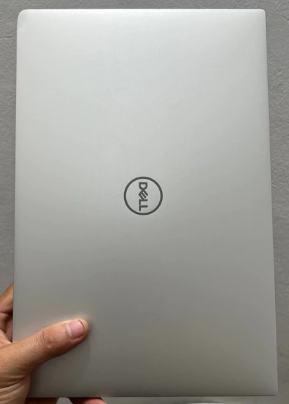
Dell XPS 13
May
Dell XPS 13: The Definitive Guide to Windows Engineering and Premium Craftsmanship
1. Introduction: The Evolution of the Ultrabook Standard
The Dell XPS 13 is not merely a laptop; it is a cultural icon in the Windows computing world. For years, it has stood as the primary challenger to the MacBook Air, often leading the industry in design innovations that others later follow. When Dell first introduced the InfinityEdge display, it changed the way we perceive screen-to-body ratios, effectively fitting a 13-inch screen into what was previously an 11-inch form factor.
At MOTOGO, we recognize that the Dell XPS 13 represents the gold standard for professionals who require a Windows-based system that does not compromise on aesthetics or build quality. This 1500-word comprehensive guide will delve into the engineering secrets of the XPS 13, its specialized material science, and why it remains the most refined choice for executives, developers, and creative minds alike in 2026.
2. Design Mastery: InfinityEdge and the Pursuit of Perfection
The defining characteristic of the Dell XPS 13 is undoubtedly its display technology. Dell was the first to successfully eliminate the thick bezels that plagued laptop designs for decades.
4-Sided InfinityEdge: The current XPS 13 models feature a 4-sided InfinityEdge display with a 91.5% screen-to-body ratio. By shrinking the bottom chin, Dell has created an immersive viewing experience that makes the screen feel much larger than its physical dimensions.
The 16:10 Productivity Shift: Moving away from the traditional 16:9 widescreen, the XPS 13 utilizes a 16:10 aspect ratio. This provides more vertical space for reading long documents, viewing more lines of code, and reducing the need for constant scrolling—a critical advantage for researchers and data analysts at MOTOGO.
CNC Machined Aluminum: The exterior chassis is carved from a single block of aluminum using high-precision CNC milling. This results in a body that is significantly stronger and more durable than laptops made from stamped metal or plastic parts.
3. Material Innovation: Carbon Fiber and Woven Glass
One area where the Dell XPS 13 truly outshines its competitors is the choice of interior materials.
Aerospace-Grade Carbon Fiber: Inspired by the aerospace industry, the black palm rest of the XPS 13 is made from carbon fiber. This material is lighter than aluminum but offers a higher strength-to-weight ratio. More importantly, it is cool to the touch and provides a comfortable texture for long-form typing.
Arctic White Woven Glass Fiber: For those who prefer the white interior model, Dell developed a woven glass fiber palm rest. It features a UV-resistant and stain-resistant coating to prevent yellowing or staining over time, ensuring the laptop stays “Arctic White” throughout its lifespan.
Thermal Intelligence: These materials aren’t just for looks. Carbon fiber and woven glass have lower thermal conductivity than metal, meaning the heat generated by the internal components is less likely to reach your palms during heavy workloads.
4. Performance: Optimized for the Modern Professional
The Dell XPS 13 is part of the Intel Evo platform, ensuring a standardized level of elite responsiveness and battery endurance.
13th Gen Intel Core Efficiency: Powered by the latest Intel Core processors, the XPS 13 handles multitasking with ease. Whether you are running complex financial simulations or managing 50+ browser tabs, the system remains snappy.
Intel Iris Xe Graphics: While not a gaming machine, the integrated Iris Xe graphics provide enough power for high-definition video editing and professional-grade photo retouching in Adobe Lightroom.
Advanced Cooling System: Dell uses dual fans and a single heat pipe to manage thermals. The fan profiles are intelligently tuned; under light loads, the XPS 13 is virtually silent, making it ideal for quiet library or boardroom environments.
5. Visual Excellence: Eyesafe and Color Precision
The display options on the Dell XPS 13 are among the best in the industry.
Eyesafe® Technology: Dell integrates Eyesafe technology directly into the display hardware. This reduces harmful blue light emissions while maintaining vivid color integrity, protecting your vision during those 10-hour workdays.
High Contrast and Brightness: With options reaching up to 500 nits of brightness and 100% sRGB color coverage, the screen remains clear in brightly lit offices and coffee shops.
OLED Option: For professionals who require absolute color accuracy, the 3.5K OLED touch option offers a 100,000:1 contrast ratio, delivering deep blacks and brilliant colors that make presentations pop.
6. Connectivity: Embracing the Future of Thunderbolt
In the pursuit of thinness, Dell has moved toward a “Thunderbolt-first” strategy.
Dual Thunderbolt 4 Ports: These ports are the Swiss Army knife of connectivity. They support charging, 40Gbps data transfer, and connection to multiple 4K external monitors via a single cable.
Unboxing the Extras: At MOTOGO, we know connectivity matters. That’s why we highlight that every XPS 13 includes a USB-C to USB-A adapter and a USB-C to 3.5mm headset adapter in the box, ensuring you can still use your legacy peripherals.
7. Security and Intelligence: Seamless Protection
Windows Hello Biometrics: The XPS 13 offers two ways to log in without a password: an IR camera for facial recognition and a fingerprint sensor integrated into the power button.
ExpressSign-in: Using a proximity sensor, the laptop can detect when you walk away and lock the PC for security. When you return, it wakes up and logs you in before your hands even touch the keyboard.
TPM 2.0 Encryption: Hardware-based security ensures your passwords and data are encrypted and protected from malicious software at the boot level.
8. Battery Life: Endurance for the Global Nomad
Optimized Power Consumption: Thanks to the Intel Evo tuning and efficient display panels, the XPS 13 can achieve up to 12-14 hours of real-world battery life on the Full HD+ model.
ExpressCharge: Need to leave for a meeting? ExpressCharge allows you to reach 80% battery capacity in about an hour, minimizing your downtime.
9. Comparative Analysis: XPS 13 vs. MacBook Air M2 vs. ExpertBook B9
How does it stack up against the other giants at MOTOGO?
Vs. MacBook Air M2: The XPS 13 offers a more compact footprint and the flexibility of Windows, though the MacBook wins on fanless silence.
Vs. ASUS ExpertBook B9: The B9 is lighter, but the XPS 13 feels more substantial and premium in its material choices (CNC Aluminum vs. Magnesium alloy).
The Verdict: The XPS 13 is the perfect middle ground for someone who wants MacBook-level luxury in a Windows environment.
10. Maintenance Guide: The MOTOGO Professional Standard
To ensure your Dell XPS 13 remains a top-tier performer:
Palm Rest Cleaning: For the carbon fiber model, use a lint-free cloth with a drop of distilled water to keep the texture fresh.
Ventilation: Ensure the bottom vents stay clear of dust; a quick blast of compressed air every few months is recommended.
SupportAssist: Use Dell’s built-in SupportAssist tool to keep your drivers and BIOS updated for maximum stability.
11. Conclusion: Why Invest in an XPS 13 from MOTOGO?
The Dell XPS 13 is more than just a computer; it is a precision-engineered instrument designed to elevate your professional output. It represents the peak of Windows craftsmanship. At MOTOGO, we don’t just sell you a machine; we provide a partnership. Our technical team inspects every XPS unit to ensure it meets our rigorous quality standards before it reaches your desk. Elevate your professional identity and your productivity today with the Dell XPS 13—where power meets perfection.
